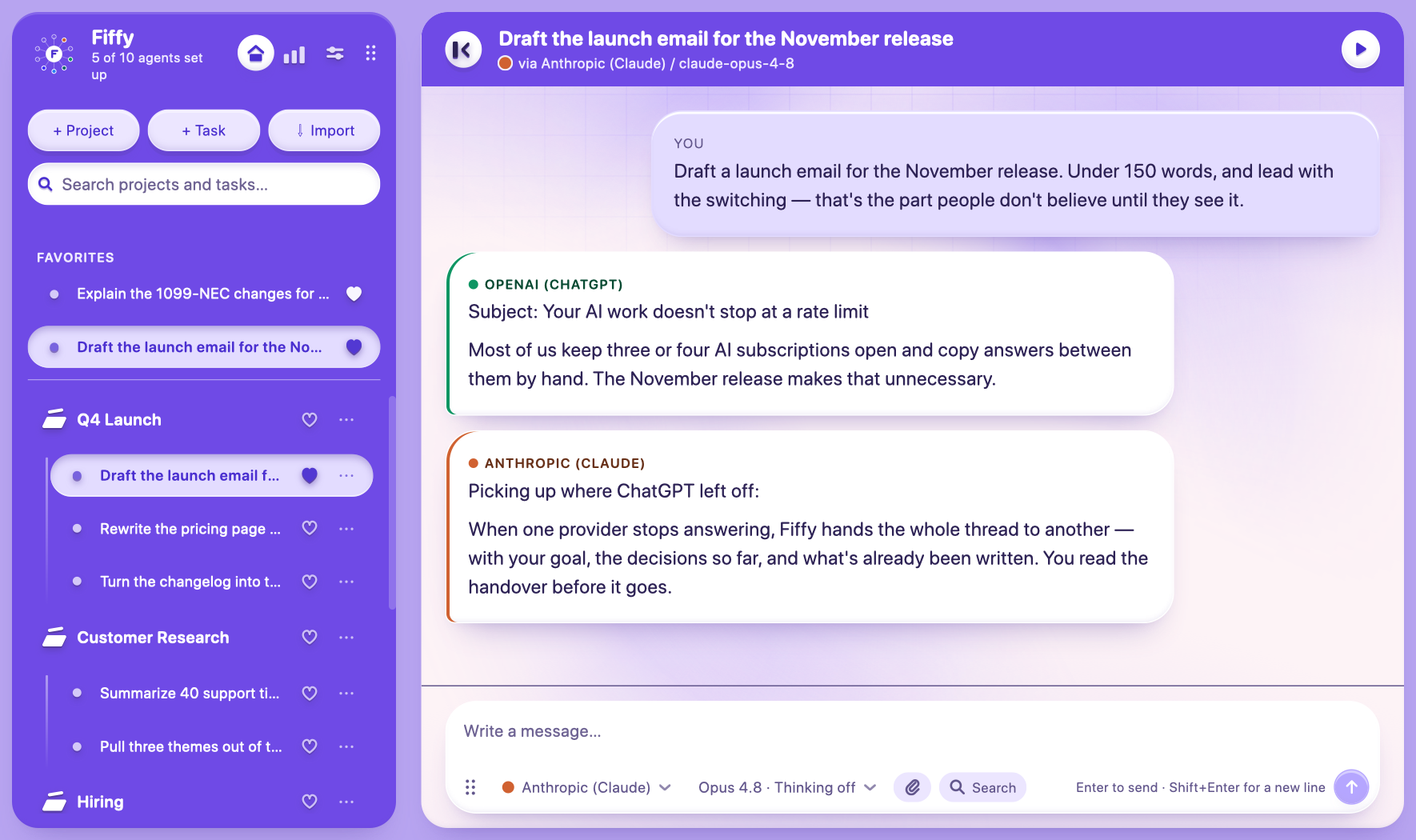
ChatGPT hit its rate limit. Fiffy moved this task to Claude and showed you
the note it sent first.
10AI providers, one window
3macOS, Windows, Linux
14days free, no card
0of your words on our servers
What makes it different
What it actually does
Your keys, your machine
Every request goes straight from your computer to the provider. No server of ours is in that path, and there never will be.
It keeps going
A rate limit retries, then tries another model, then offers the whole task to a different provider — with a handover you read first.
One memory across all of them
None of these agents remember each other. Fiffy keeps what matters and gives it to whichever one is answering.
It tells you when it needs you
Sound, a system notification, or email, Telegram or WhatsApp — carrying which event happened and the task's name, never your messages or the agents' replies.
You approve the plan
Give it a goal and it writes a plan. Edit a step, delete one, add one; nothing runs until you have said so.
Bring in what you started
A conversation from another agent comes in pasted or as an export file, and you write the one-line goal yourself.
How a task runs
1
You write the goal
One line, in your own words.
2
It writes a plan, and waits
Edit a step, drop one, add one. Nothing runs until you say so.
3
It runs, and Stop is always there
Stop pauses rather than discards. The work so far is kept.
Limits are counted on your own machine and checked before each request
leaves it — steps, tokens, minutes, requests a minute. Those cannot be
talked out of the way written instructions can.
Where your words go
Every request goes from your computer to the provider on your key. We
could not hand your conversations over if we were asked to, because we
do not have them.
Does not run commands
Does not edit your files
Does not install anything
Search happens at the agent's own company, on your key and billed by
them. You turn it on per task — except Perplexity, whose endpoint
searches on every call; there the control caps how much one search
brings back.
What you already have
Bring in what you started
Pasted, or as an export file. You confirm who said what before any of
it is kept, and you write the one-line goal. It is never guessed.
It follows your computers
Through any S3-compatible bucket you point Fiffy at, encrypted on your
machine first. Lose the code and nobody can read that bucket — you
included.
Pricing
Free for 14 days first — no account, no card.
$79per year
or $9 a month, which comes to $108 over a year — so the
yearly price saves $29.
Up to ten of your own computers, replacements included.
It renews by itself — every year, or every month on the monthly plan — until you cancel, and Paddle charges the card you paid with.
Cancel whenever you like; it runs to the end of the period you have paid for.
Shown and charged in your own currency by Paddle, our reseller, with any local tax included. You pay them, not us.
You still pay each provider for what you use; Fiffy never resells their
capacity. Refunds.
Which agents
OpenAI (ChatGPT)
Anthropic (Claude)
Google (Gemini)
xAI (Grok)
Mistral AI
DeepSeek
Cohere
Groq
Perplexity
Moonshot AI (Kimi)
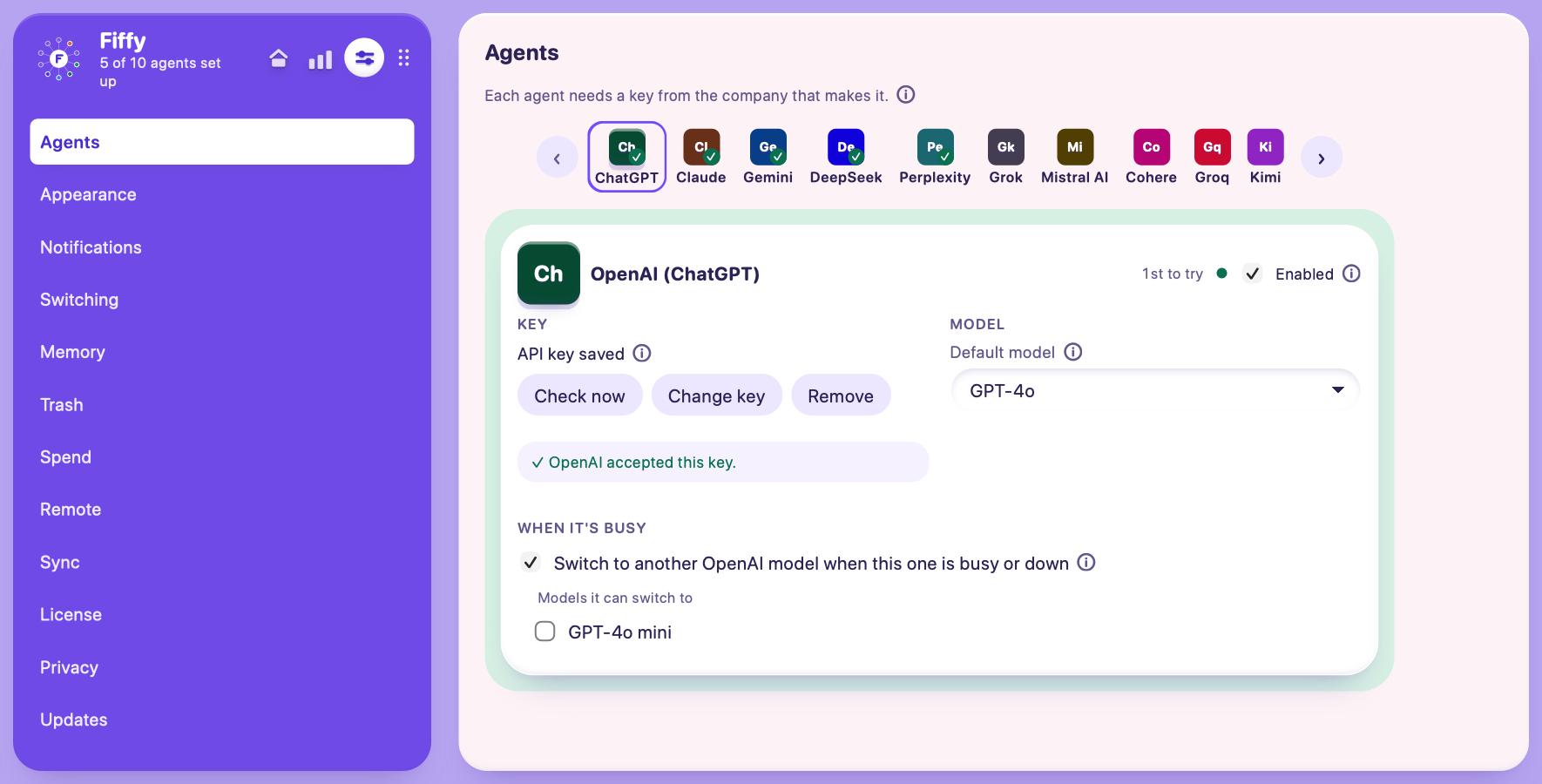
Each needs that provider's own API key, and the app walks you through
getting one. You do not need ten — one is enough to start, two is enough
for a handover to have somewhere to go.
Five set up here, five still to go. One key covers every model that
company makes, and the ticked box lets an agent move between its own
models before a task ever leaves for a different company.
Start with one key and see what it does
Free for 14 days. No account, no card, and nothing to cancel if you stop.